How do I delete my conversation history?
Delete every conversation at once in Settings, under Profile.
Web
-
Open the account menu (your name or email in the sidebar).
-
Select Settings.
-
Select Profile.
-
Select Clear next to Clear History.
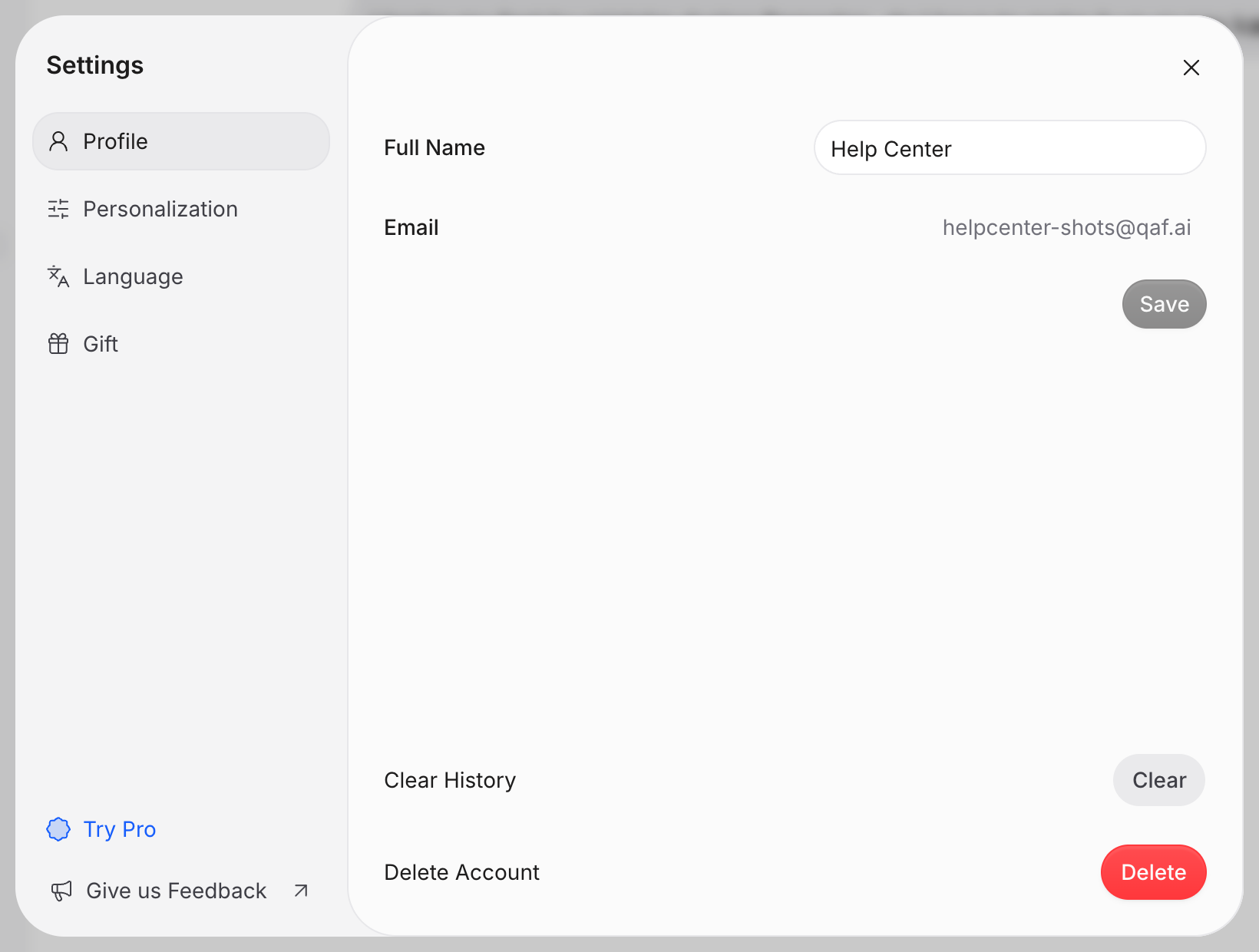
-
Select Clear to confirm. Qaf shows “History cleared” and your conversation list is empty.
If Qaf shows “Failed to clear history”, try again. If it keeps failing, email us at contact@qaf.ai.
Mobile
-
Select the three-line icon at the top.
-
Select Settings.
-
Select Profile.
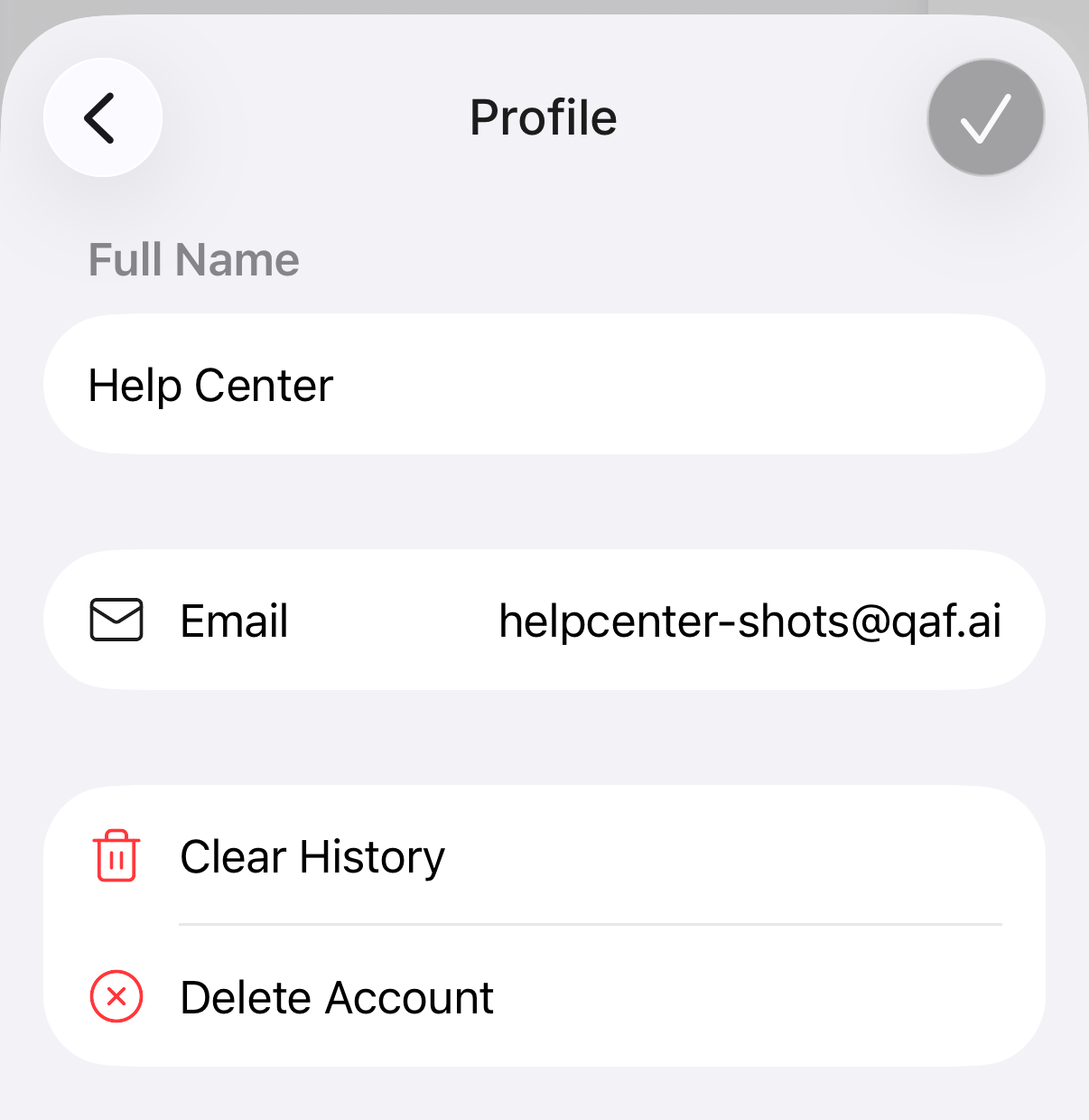
-
Select Clear History.
-
Select Clear to confirm. Qaf shows “History cleared”.
If your history does not clear, try again. If it keeps failing, email us at contact@qaf.ai.