How do I delete a conversation?
You can delete a single conversation from your history on the web or in the Qaf app. Deletion is permanent: the conversation and its messages are removed from your account.
Web
-
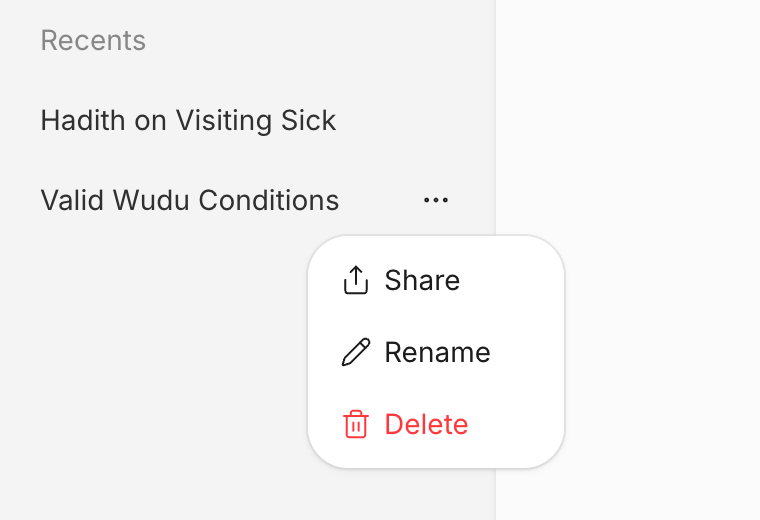
Find the conversation under Recents in the sidebar.
-
Select More (the three dots) on the conversation. On a computer it appears when you point at the conversation.
-
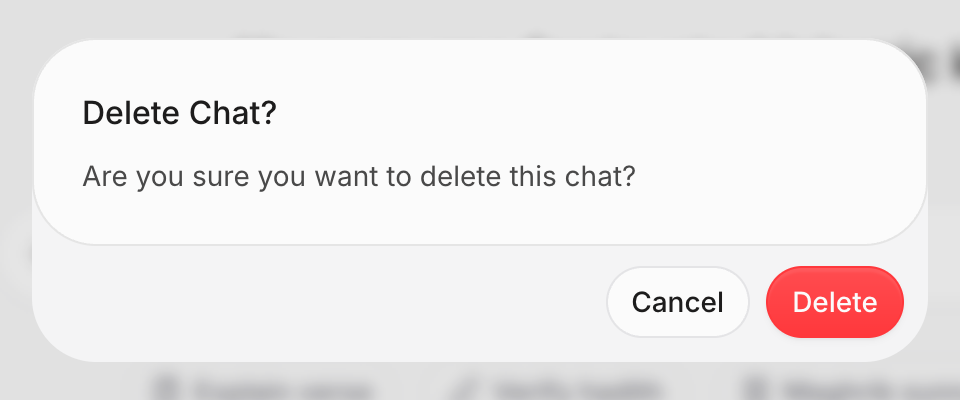
Select Delete. The dialog asks “Are you sure you want to delete this chat?”.
-
Select Delete to confirm. Qaf shows “Chat deleted successfully”, and the conversation disappears from Recents.
If Qaf shows “Failed to delete chat”, try again. If it keeps failing, email us at contact@qaf.ai.
Mobile
-
Select the three-line icon at the top to show your conversations.
-
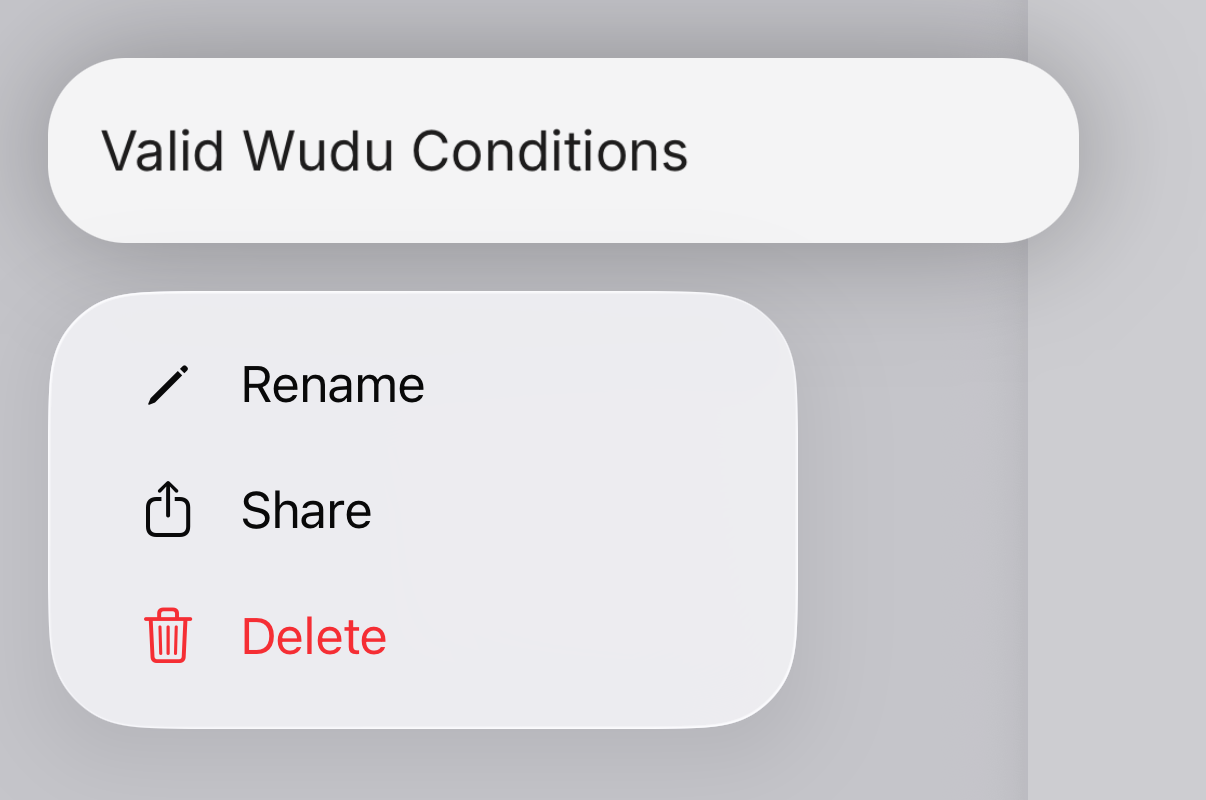
Touch and hold the conversation until the menu appears.
-
Select Delete. Qaf shows “Chat deleted successfully”, and the conversation disappears from the list.
If Qaf shows “Failed to delete chat”, try again. If it keeps failing, email us at contact@qaf.ai.