How do I cancel my subscription?
You can cancel your subscription through the website, Apple’s App Store or Google Play, depending on how you subscribed. Cancelling turns off automatic renewal. You keep access until the end of your paid period, then your account returns to the free plan.
To find out where to cancel, open Settings, then Billing:
- If you see Manage, select it to manage or cancel your subscription from the website or app you’re using. Follow the matching steps below.
- If you see Via Web, open the Qaf website to cancel.
- If you see Via App Store or Managed via App Store, cancel through Apple’s App Store on your iPhone.
- If you see Via Play Store or Managed via Google Play, cancel through Google Play on Android.
- If you don’t see Billing, check that you’re signed in to the account you subscribed with. If you still need help, email us at contact@qaf.ai.
- If you see Via external provider or Managed externally, or there is no management button, email us at contact@qaf.ai.
Web
-
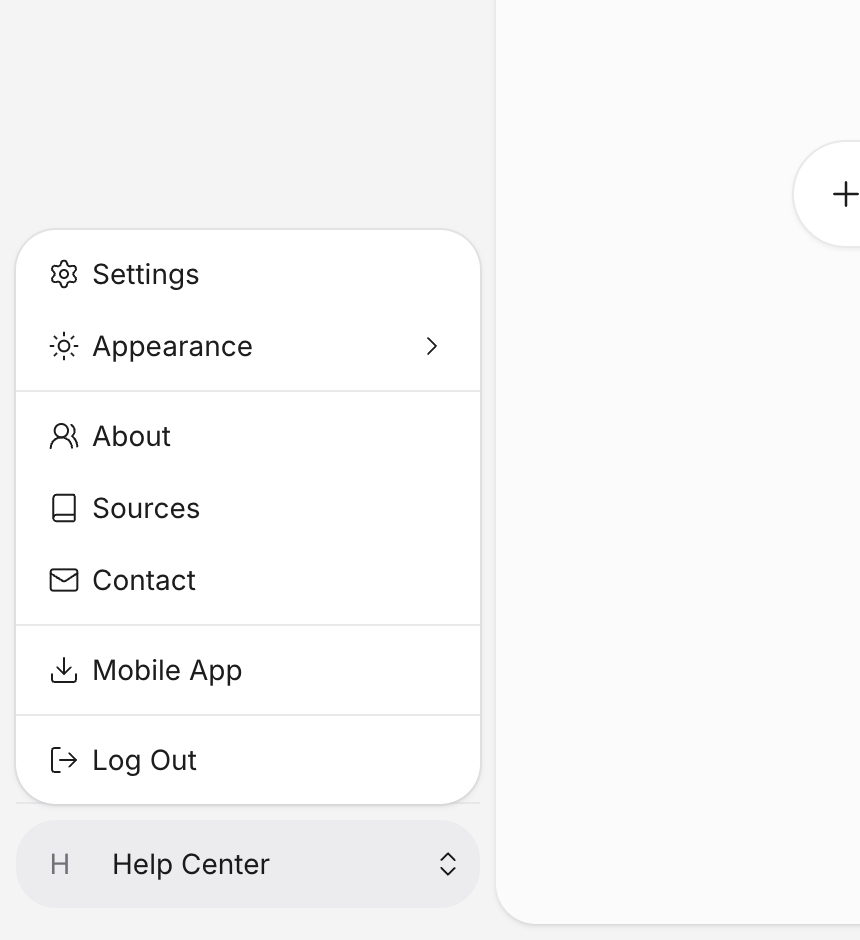
Open the account menu (your name in the sidebar).
-
Select Settings.
-
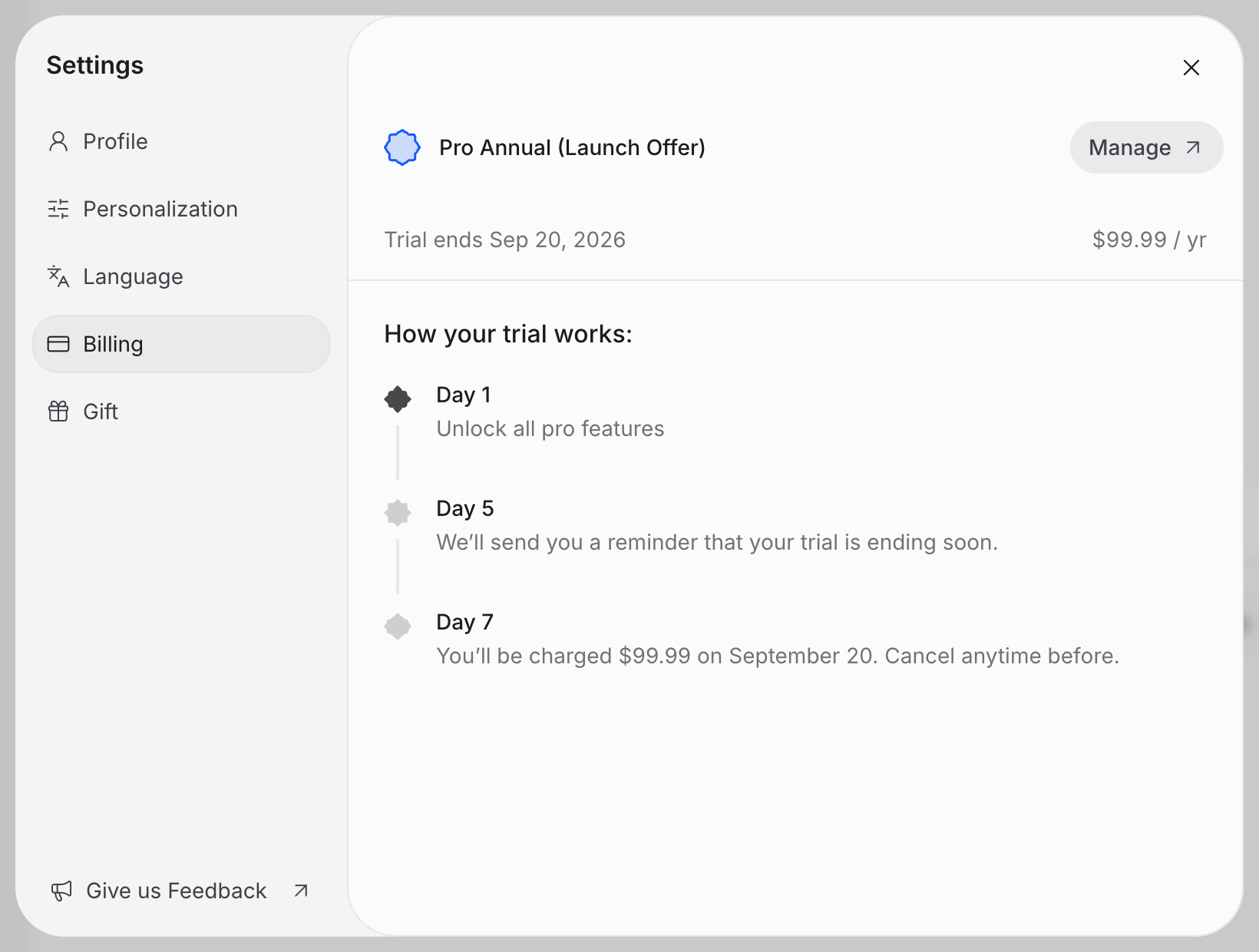
Select Billing.
-
Select Manage to open your subscription page.
-
Select Cancel subscription.
-
Select Continue to cancellation.
-
Under Review your changes, check the end date, then select Cancel subscription.
After you confirm cancellation, the page shows Cancels and your subscription’s end date. If the page doesn’t open, email us at contact@qaf.ai.
iOS
- Open the iPhone Settings app.
- Tap your name, then Subscriptions.
- Tap Qaf.
- Tap Cancel Subscription and confirm.
Apple now shows an expiry date under the subscription. You can also start in the Qaf app: open Settings, tap Billing, then tap Manage, and Apple’s subscription settings open.
Apple’s guide: If you want to cancel a subscription from Apple.
Android
- Open Subscriptions in Google Play with the Google Account you subscribed with.
- Select Qaf.
- Select Cancel subscription and follow the prompts.
Google Play now shows an end date under the subscription. You can also start in the Qaf app: open Settings, tap Billing, then tap Manage, and Google Play opens.
Google’s guide: Cancel, pause, or change a subscription on Google Play.
Return to Qaf and open Settings, then Billing, to check your cancellation. You’ll see your end date beside Access ends, or Trial cancels if you’re on a free trial. If your subscription status hasn’t updated, email us at contact@qaf.ai.